![elentra_logo_Blue-and-Black-3.png]](https://help.elentra.com/hs-fs/hubfs/elentra_logo_Blue-and-Black-3.png?height=40&name=elentra_logo_Blue-and-Black-3.png)
NEW! This release continues our work to surface your clinical placement data where you need it, bringing two new views of your sites into Clinical Experience.
Site Bookings view in Clinical Experience
We are excited to announce a new Sites view, now available in the Rotation Schedule area of Clinical Experience alongside Schedules and Preceptors. It organizes your bookings by site, so every site your program works with can be seen with the learners placed there.
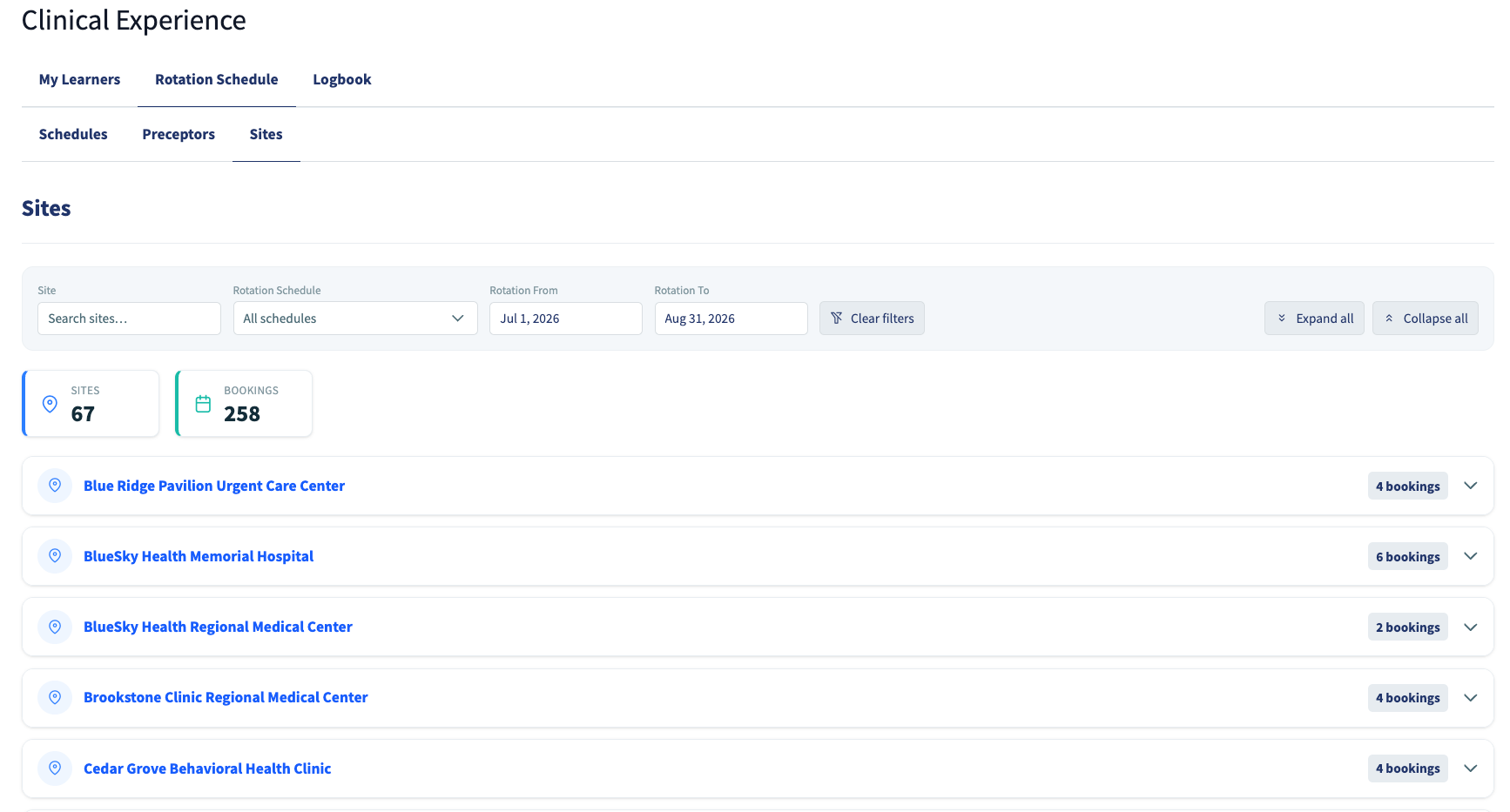
Each site carries its bookings drawn from across all of your rotation schedules, so a site's full clinical picture is shown in a single view rather than being read schedule by schedule. Expand a site to see who is placed there and when, filter down to the sites you need information on, and select any booking to see its detail.
Every entity on the page is a doorway to where it is managed. Select a learner to open their record, a preceptor to open their instructor profile, or a site to open it in Manage Locations, so a question about one site turns into an answer without leaving the flow of your work.
Clinical Schedule on the site record
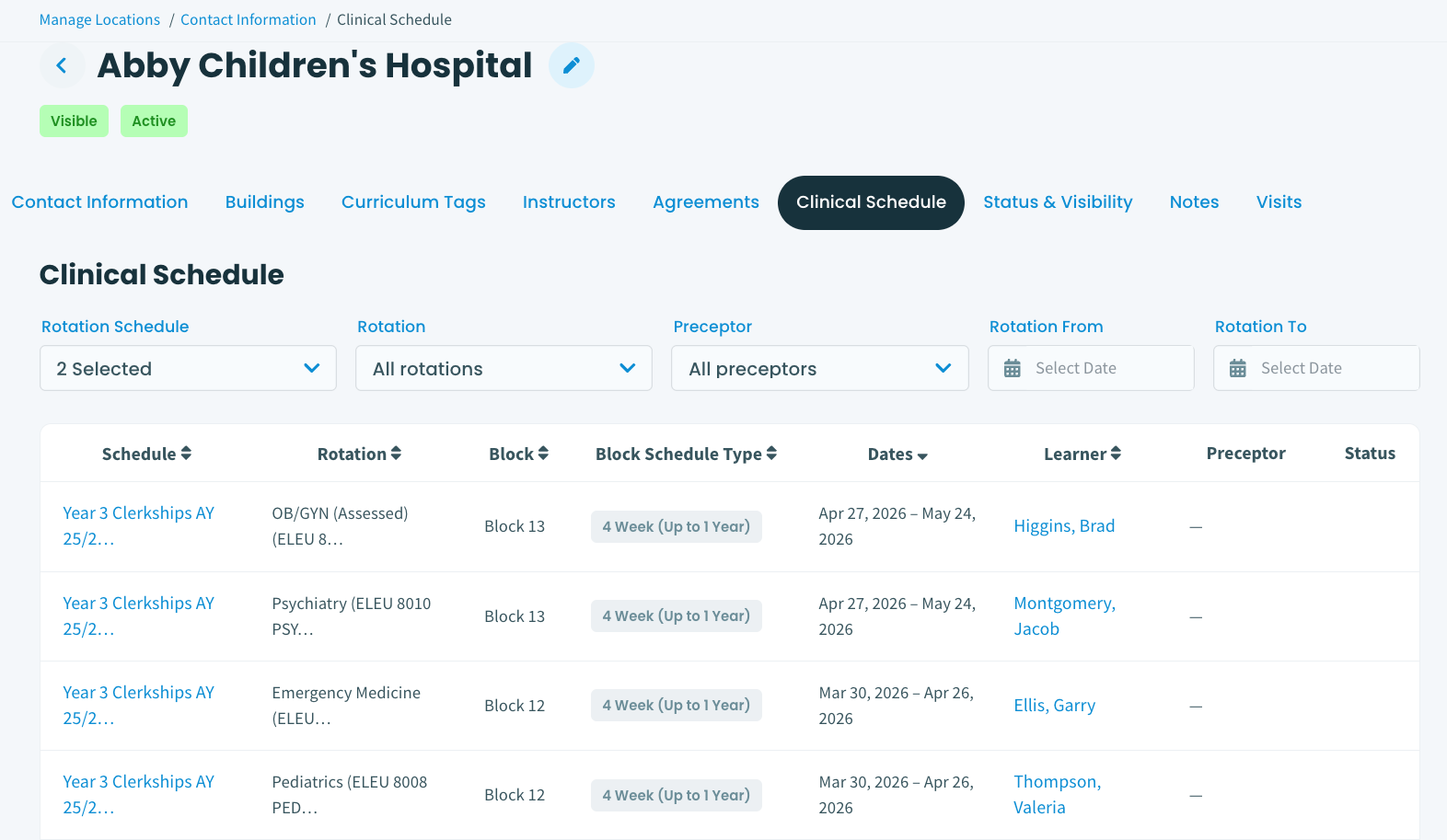
Site records in Manage Locations now carry a Clinical Schedule tab, putting a site's clinical activity right alongside its details, contacts, and agreements. Open a site and see the bookings taking place there, without stepping away from the record you are already in. Instructor records carry the same tab, so a site and a preceptor can each be reviewed in full from their own profile.
Search within Rotation Schedule Filters
Each filter on the Rotation Schedule now opens with a search input. Coordinators can reach the rotation, site, or group they need by typing a few characters, so filtering a schedule takes seconds regardless of how many options an institution has.
Search is available on all six filters: Rotation, Rotation Status, Site, Learner Level, Curriculum Track, and Course Group. Selections hold while searching, so a multi-part filter can be built one search at a time without losing earlier choices.
If you have any questions about the above-listed information, please contact support@elentra.com. If you see a feature that is not currently being used within your instance of Elentra and are interested in learning more about it, please contact your Elentra Account Manager for more information.