![elentra_logo_Blue-and-Black-3.png]](https://help.elentra.com/hs-fs/hubfs/elentra_logo_Blue-and-Black-3.png?height=40&name=elentra_logo_Blue-and-Black-3.png)
Article Content
- Curriculum Tags Tab Introduction
- Assign curriculum tags to a course
- Adding contextual linkages to tags assigned to a course
- Copy curriculum tags across curriculum periods in a course
Curriculum Tags Tab Introduction
From the Curriculum Tags tab within a course, you can apply curriculum tags. Tags assigned to a course can be displayed on course pages and websites as well as in the Curriculum Matrix and Curriculum Explorer. Assigning curriculum tags to a course will also make them quickly available when mapping tags to a learning event or gradebook assessment if using a hierarchy in a single tag set. You can assign tags to a particular curriculum period that the course is offered in, or to all curriculum periods.
Note: While you can view these contextual linkages on a course page, there is no current reporting to give you an overall view of these contextual linkages and contextual linkages do not display in the Curriculum Matrix or Curriculum Explorer.
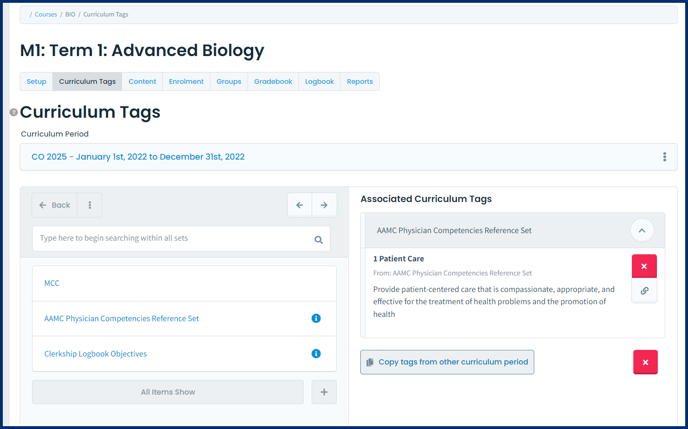
Tip: If you need the assigned tags to be different across different cohorts of learners, you should map to specific curriculum periods instead of to all periods. Mapping to a specific curriculum period helps you to see changes to your tags over time.
Warning: If you choose to map to all curriculum periods and you add or remove tags this will do so for historical curriculum periods as well as the current and future curriculum periods.
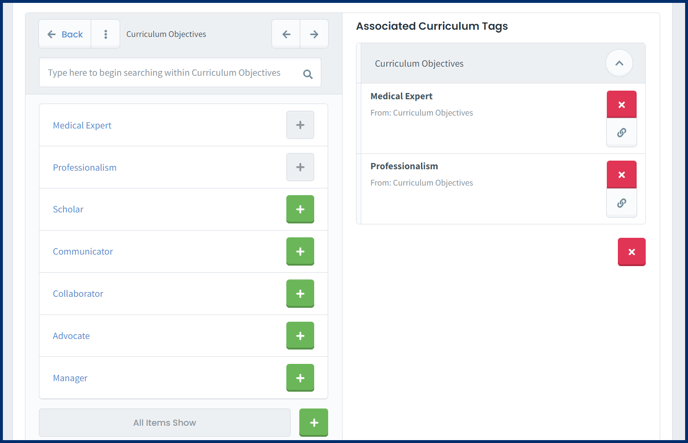
- To remove a curriculum tag from a course click on the red x icon on the tag.
- To remove all curriculum tags from a course click on the red x icon underneath all associated curriculum tags.
Note: If you want learners to be able to log specific objectives in the Clinical Experience Logbook those objectives should be assigned to a course.

Contextually Link Assigned Curriculum Tags
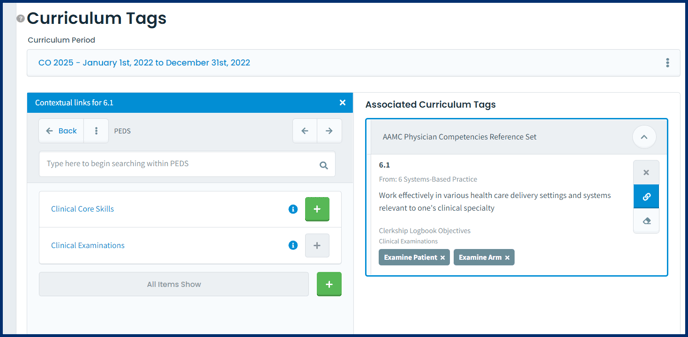
- To remove a contextually linked tag, click the x beside the tag name.
- To remove all contextually linked tags click the eraser icon and confirm your choice.
Copy Assigned Tags from One Period to Another
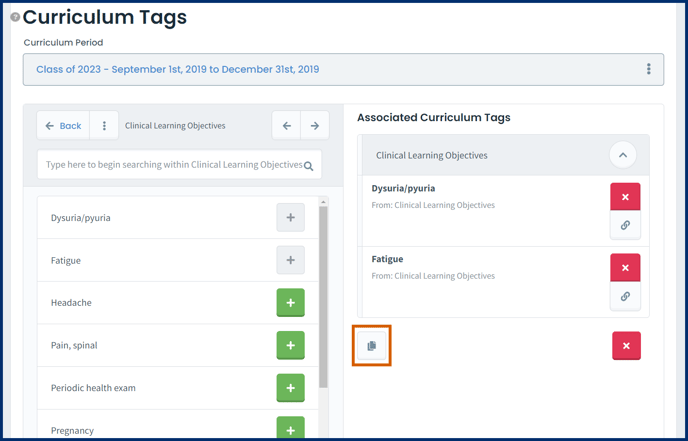
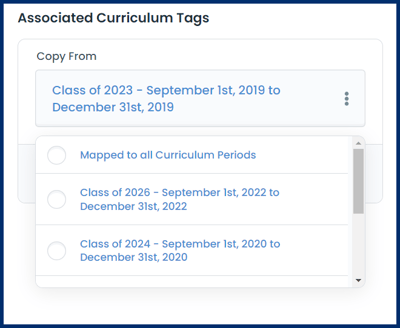
Note: If a curriculum period already has curriculum tags assigned and then you also copy tags from another curriculum period, new tags will be added to the list, and any contextual linkages will overwrite the existing tag mappings.