![elentra_logo_Blue-and-Black-3.png]](https://help.elentra.com/hs-fs/hubfs/elentra_logo_Blue-and-Black-3.png?height=40&name=elentra_logo_Blue-and-Black-3.png)
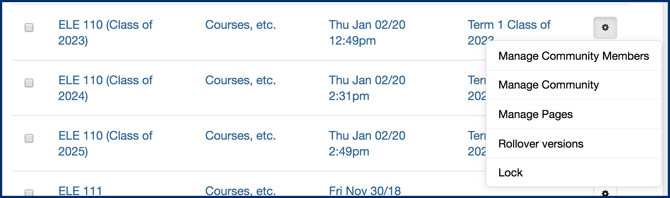
Note: You can create multiple course websites for a single course in order to provide appropriate content to different cohorts of learners (e.g. Class of 2022, Class of 2023).
Caution: When rolling over a course website, Document Sharing pages will not carry forward folders or documents by default. To carry forward your content, please contact Elentra Support prior to rolling over your course website to enable content roll-over.
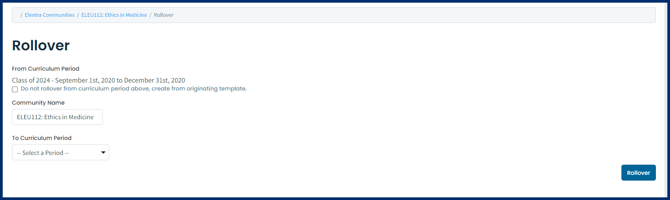
Note: Course website community members and administrators will be copied when you rollover a course website. However, the Course Audience will be dictated by course enrolment. Also, once you have multiple course websites, you must manage membership for each website individually (i.e., if you have websites A and A1 and add someone as a community administrator to website A, they won't automatically inherit community administrator rights to website A1).

Lock a Course Website